We need your help to keep this website free. You can
You can find effective methods to download Instagram photos with their original resolution using dedicated tools designed for this purpose. A professional instagram video downloader may also support multiple content types. The available download methods offer different levels of efficiency, with some options operating smoothly while others create difficulties for users.
Why Can't You Save Photos From Instagram?
Instagram doesn’t allow direct downloads mainly because of ownership and copyright stuff. The platform is built around sharing content, not letting everyone grab and reuse it freely. That part makes sense, even if it’s inconvenient.
There’s also a platform reason behind it. Keeping users inside the app means more engagement, more scrolling, more time spent there. If downloading was too easy, people would just save content and leave, which isn’t exactly what Meta Platforms wants.
So yeah, no official download button. But there are workarounds that people use all the time.
Method 1: Use an Online Instagram Photo Downloader
The process stands as the simplest method available which most users can trust to deliver results. The solution requires users to copy content without needing to install anything or follow any complex procedures.
Why Choose Instagram Photo Downloader
Using an online Instagram photo downloader makes things way simpler:
● No need to install apps
● Works on phones, tablets, or desktops
● Keeps original image quality
● Fast and usually free
● No login required (if it’s a good tool)
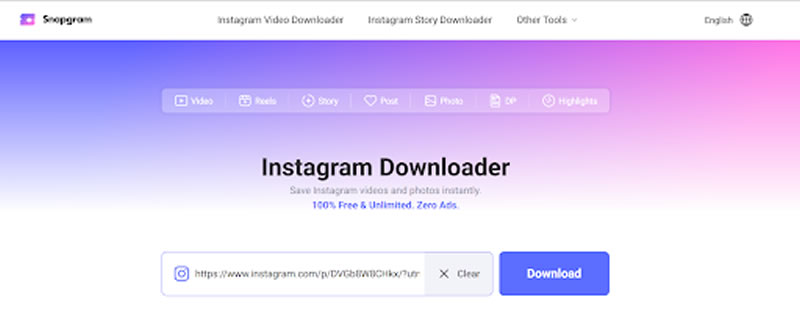
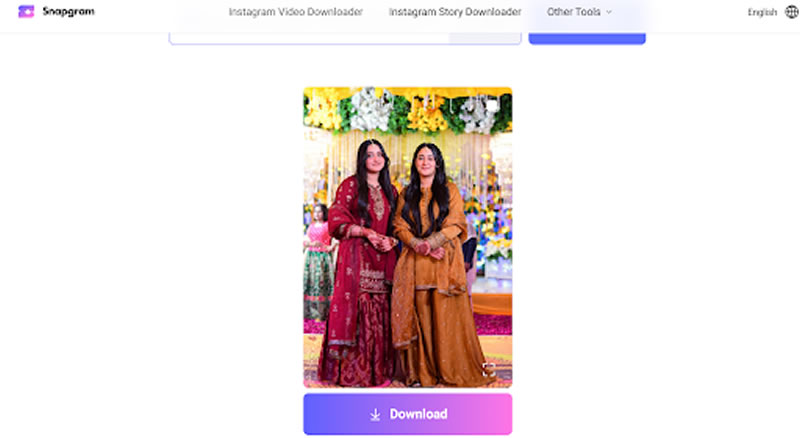
One solid option is Snapgram. It’s designed to work as an Instagram post downloader, letting you download content directly from your browser, not just photos but also Reels, Stories, and more.
It’s also ad-free, keeps original quality, and doesn’t add watermarks, which honestly already puts it ahead of a lot of similar tools.
Steps to Use Snapgram Instagram Photos Downloader
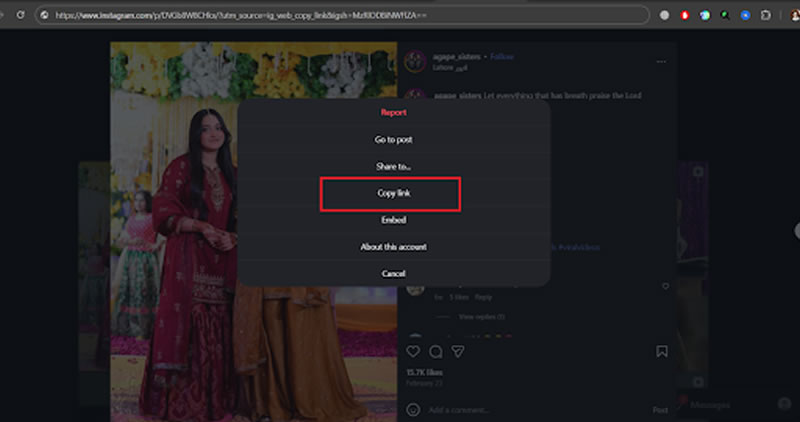
1. Copy the Instagram photo link
Open Instagram, find the photo you want, tap the three dots on top right corner, and copy the link from the given options. On desktop, you can just copy the URL from the address bar. Nothing complicated here.
2. Paste it into Snapgram
Go to Snapgram’s website and paste the link into the search box. That’s literally it. No sign-up, no extra steps, just paste and move on.
3. Preview and download
Snapgram shows your results almost instantly. If it’s a carousel post, it may show multiple images, which is actually useful.
Click Download, and the photo saves directly to your device in its original quality. No compression, no watermark, no weird delays.
On Android, it usually goes to your Downloads folder. On iPhone, you open the file and save it to Photos manually. Slight extra step, but not a big deal.
Method 2: Take a Screenshot
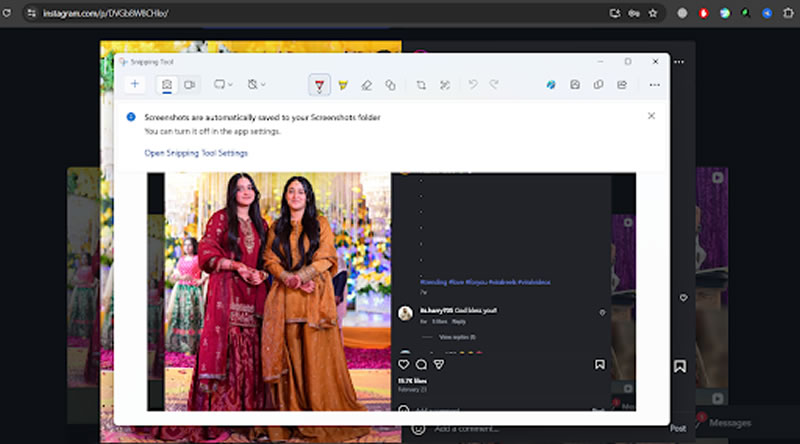
This is the easiest method, actually one that all have tried or used at least once.
Open, grab a screenshot, and crop out the Instagram interface and your photo is ready to use.
It’s quick, but there are downsides:
● Lower image quality
● Extra cropping needed
● Not ideal for multiple photos
If you just need something for personal use or quick reference, screenshots are fine. But if quality matters even a bit, this method feels kinda rough.
Method 3: Use Browser Tools (Manual Way)
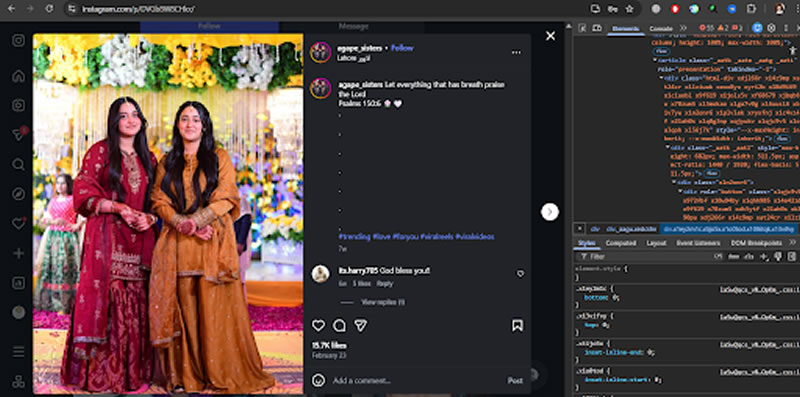
This one works best on desktop and feels slightly more technical, but not impossible.
Steps are roughly like this:
● Open Instagram in your browser
● Go to the photo
● Right-click and select “Inspect”
● Find the image URL in the code
● Open it in a new tab and save
The written explanation appears straightforward but actual execution becomes difficult for those who lack coding experience. The user will start clicking various lines because they want to understand what is happening. The solution maintains image quality which makes it an acceptable choice for users who prefer to avoid using a downloader.
Important Tips for Downloading Instagram Photos
Before downloading everything you like, there are a few things worth keeping in mind.
Respect copyrights
Even if a photo is public, it should not be considered free to use however you want.
● Download your own photos freely
● Use others’ images only with permission
● Give credit where required
International bodies like the World Intellectual Property Organization make it pretty apparent that digital content preservation comes from the copyright law.
Stick to public content
Online Tools only work with public profiles, and that’s how it should be. Private content is private for a reason, and trying to bypass that isn’t really okay.
Avoid shady tools
Not every Instagram downloader is safe. Some are filled with fake buttons, ads, or even malware.
A good tool should:
● Not ask for login details
● Work quickly
● Have a clean interface
● Not add watermarks
Understand quality limits
Instagram itself limits image quality. No tool can magically turn a low-quality upload into something ultra-HD. The best you can get is the original quality.
Conclusion
The application does not provide a built-in function for downloading Instagram photos. Users can still accomplish this task through alternative methods. You can select from different options which will fulfill your particular needs.
Just remember to use these methods responsibly. Download your own content freely, and only use others’ images when you actually have the right to. That part matters more than the method itself, even if people sometimes ignore it.