We need your help to keep this website free. You can
Pinterest is a strange little corner of the internet where people save everything from ramen recipes they’ll never cook to cabin interiors that honestly look impossible to clean. But videos? Videos on Pinterest are a whole different rabbit hole. A workout clip, a travel montage, a weirdly calming cake frosting timelapse — one second you’re browsing and next thing you know you want to save it before it disappears into the abyss of your tabs.

Luckily, finding a decent Pinterest video downloader or method isn't as painful as it sounds. There are a few ways that actually work, and some are way less annoying than others. Below are five proven ways to download Pinterest videos on desktop or mobile without making the process feel like tax paperwork.
Method 1: Download Pinterest Videos with Pinpea
If you want the easiest route possible, Pinpea is honestly the one most people stick with after trying the messy alternatives. It’s a great Pinterest photo downloader, sure, but it also handles Pinterest video downloads surprisingly fast right in your browser, without making you log in.
What makes it nice is that you don’t need to install random browser tools that look like they were built in 2012.
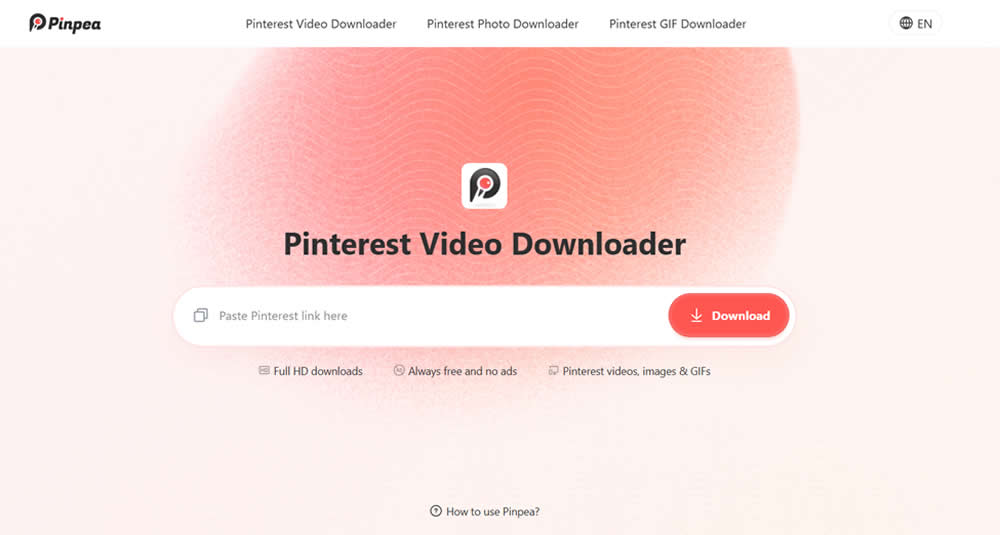
How to use Pinpea
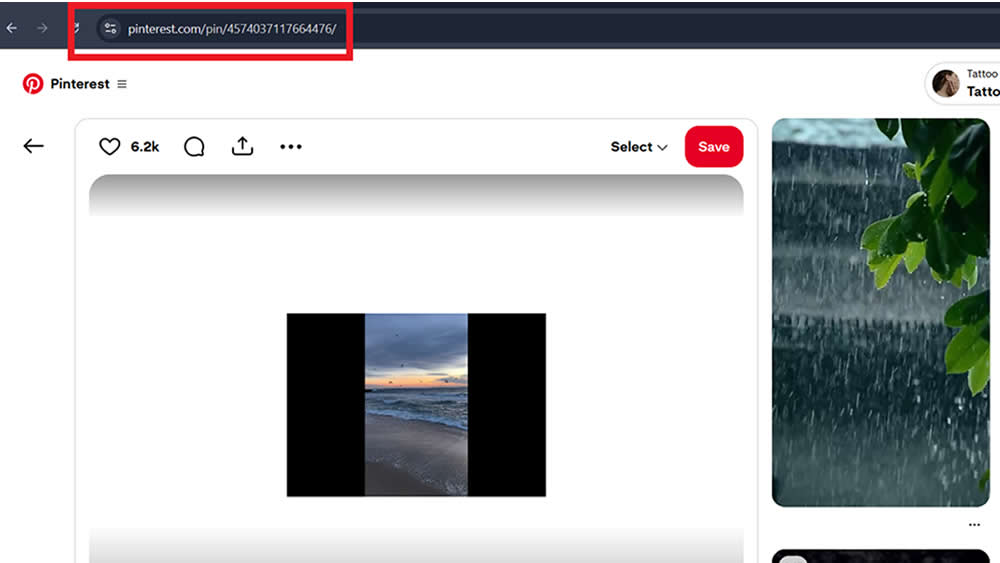
Step No. 1: Open Pinterest and find the video you want. Copy the Pinterest video link.
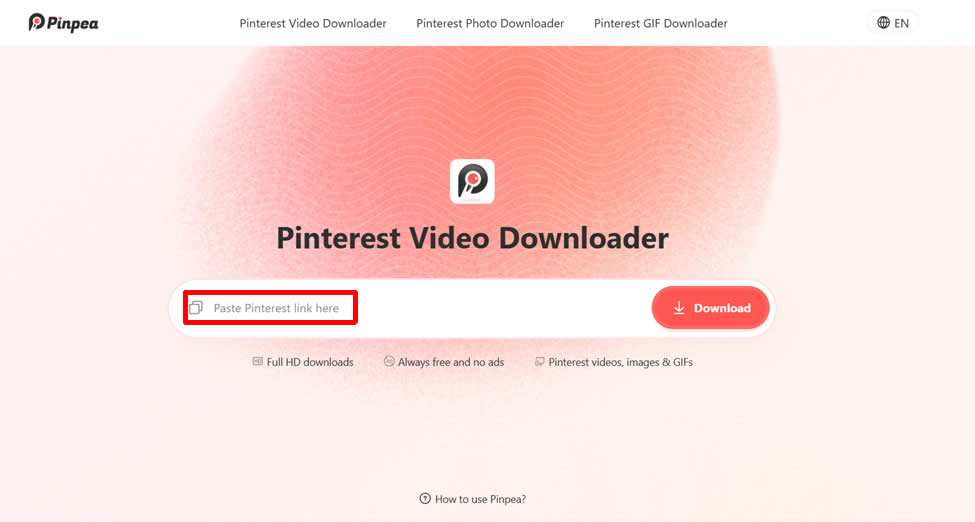
Step No. 2: Paste the link into Pinpea. Wait a second while the video loads automatically.
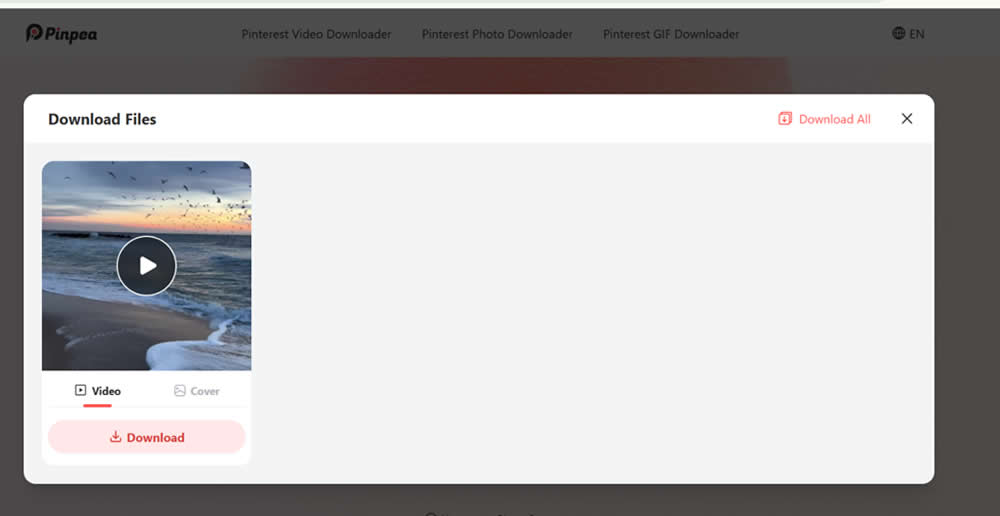
Step No. 3: Download the video in the available quality.
On mobile:
- Tap “Share”
- Tap “Copy link”
On desktop:
- Copy the full Pinterest URL directly from the browser address bar.
Pinpea supports:
- Pinterest videos
- GIF downloads
- Images
- Idea Pins
Method 2: Download Pinterest Videos Using Browser Extensions
Browser extensions are another common method, especially for laptop users who spend hours inside Chrome anyway.
Extensions like Pinterest Video Downloader, Video Downloader Plus, and AllinoneDownloader can sometimes detect embedded Pinterest videos automatically.
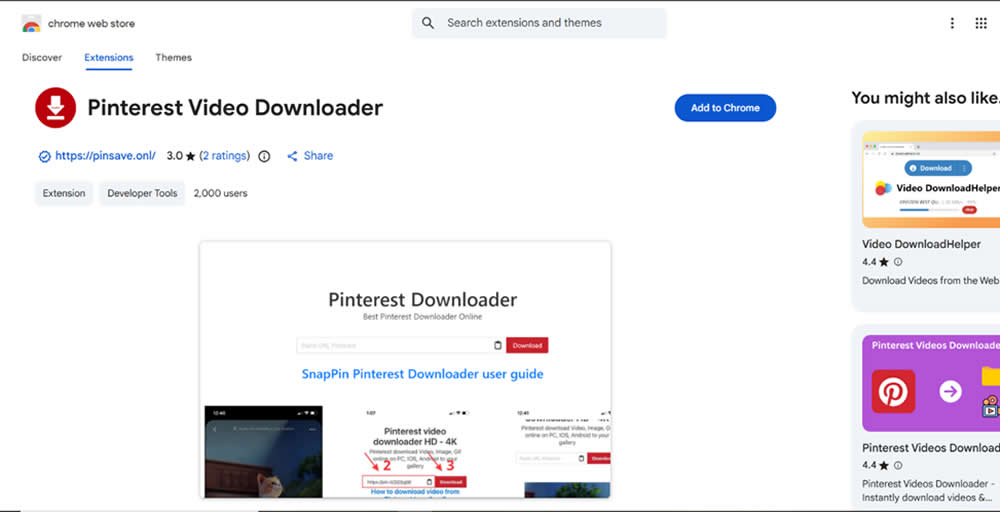
Usually the process goes something like this:
- Install extension
- Open Pinterest
- Play the video
- Click the extension icon
- Save the detected media file
Method 3: Download Pinterest Videos with Mobile Apps
If you mostly browse Pinterest on Android or iPhone, mobile downloader apps are another route.

Some Android apps let users:
- Paste Pinterest links
- Search Pinterest directly
- Download videos into device storage
Pinpea itself mentions support through the Snaptube APK on Android, where users can manage downloaded Pinterest content inside playlists. That setup works pretty smoothly for people who regularly download a lot of media.
Common mobile downloader apps
The iPhone situation gets slightly awkward because Apple restrictions don’t always allow direct downloading as Android does. So iOS users often rely on browser-based methods instead.
One thing people forget: mobile apps can consume storage ridiculously fast. A few HD Pinterest videos here and there suddenly become 4 GB, and now your phone refuses to take photos during dinner.
Bit tragic honestly.
Method 4: Use Screen Recording to Save Pinterest Videos
This method is old-school but dependable in a caveman-with-tools kinda way.
If all else fails, screen recording works. You can use the built-in screen recorders or PC software to record the Pinterest videos.
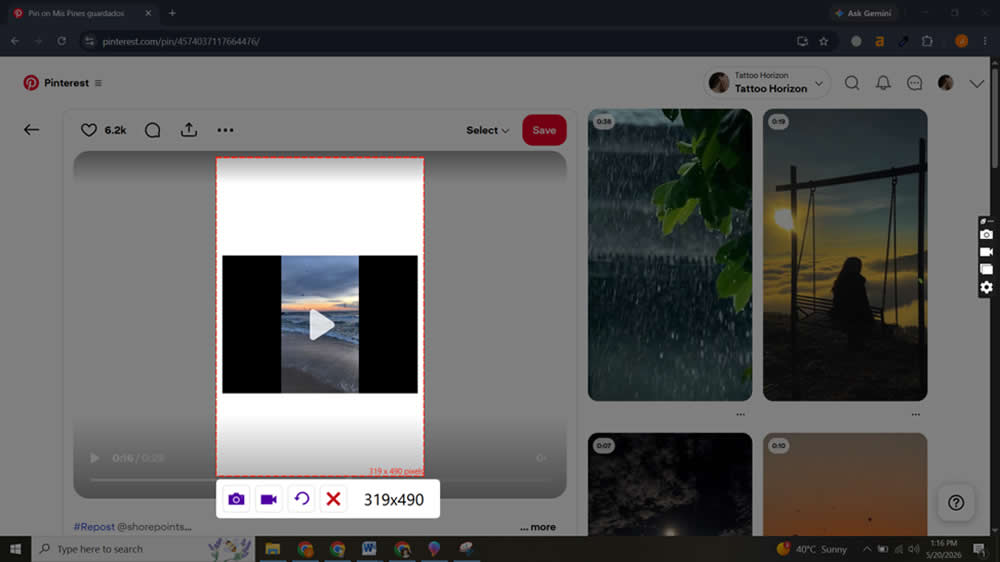
Both Android and iPhone now include built-in screen recording features:
- iPhone: Control Center → Screen Recording
- Android: Quick Settings → Screen Recorder
Steps
- Open the Pinterest video.
- Enable screen recording.
- Play the video full screen.
- Stop recording after playback.
- Trim the recording using gallery editing tools.
That’s it.
Downsides of screen recording
- Lower video quality
- Notifications can interrupt recordings
- Audio quality may vary
- Takes manual editing afterward
Still, it’s useful for:
- Private viewing
- Saving rare content quickly
- Situations where downloader tools fail
There’s something funny about using modern flagship smartphones worth $1000 to manually record another screen like we’re bootlegging DVDs in 2006, but hey, it works.
Method 5: Download Pinterest Videos with Developer Tools
Now this one’s more technical and definitely not for everyone. But developers, marketers, or internet tinkerers sometimes prefer it because it avoids third-party tools entirely.
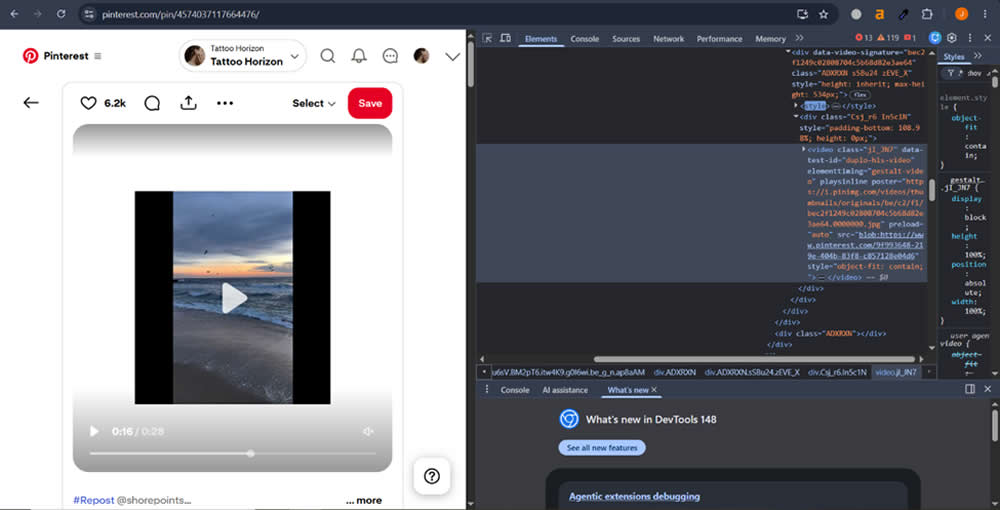
Using browser developer tools:
- Open Pinterest video page
- Right-click → Inspect
- Open “Network” tab
- Play the video
- Filter by media files
- Locate MP4 source URL
- Open the file directly
- Save the video
Chrome and Edge both support this pretty well.
Why some people prefer this method
- No external apps
- No extensions needed
- Direct access to source media
- Better privacy control
Why most people avoid it
Because it looks terrifying the first time.
You open developer tools and suddenly the screen fills with enough code to make people reconsider their entire day.
Still, for advanced users, this is often the cleanest method, technically speaking.
Tips for Downloading Pinterest Videos Safely
Downloading Pinterest videos is easy. Doing it safely is the actual important part.
Here are a few practical tips people weirdly skip:
Avoid suspicious websites
If a downloader instantly opens six popups screaming “YOUR PHONE IS INFECTED,” leave immediately. That site is not trying to help you download cupcake recipes.
Don’t enter Pinterest login credentials
Legit Pinterest downloaders never need your password.
Ever.
Watch for fake download buttons
Some pages intentionally place giant fake buttons around the real one. It’s messy internet design at its peak.
Respect creator rights
Pinterest creators often spend hours making:
- DIY tutorials
- Cooking videos
- Design breakdowns
- Educational content
Downloading for personal offline use is one thing. Reuploading someone’s work without permission gets ethically muddy pretty fast.
Use trusted tools
Browser-based tools like Pinpea reduce the need for risky installations and usually keep things simpler.
Simple is underrated online honestly.
Conclusion
At the end of the day, Pinterest is built around saving ideas. Sometimes you want those ideas available offline too, whether it’s a recipe video during bad WiFi, a workout clip at the gym, or some oddly specific Scandinavian bookshelf tutorial you swear you’ll build someday.